


 The article has been updated successfully.


Using the Tournament Filters to filter stats by how many big blinds a player has.
Warning: Only serious tournament grinders should use this feature. There needs to be enough data to make this information useful.
New Tourney Popup (1/22/2013)
Setting Up Tourney HUD Filters
Go to HUD Settings > Tournament Filters inside of Holdem Manager to view the screen below.
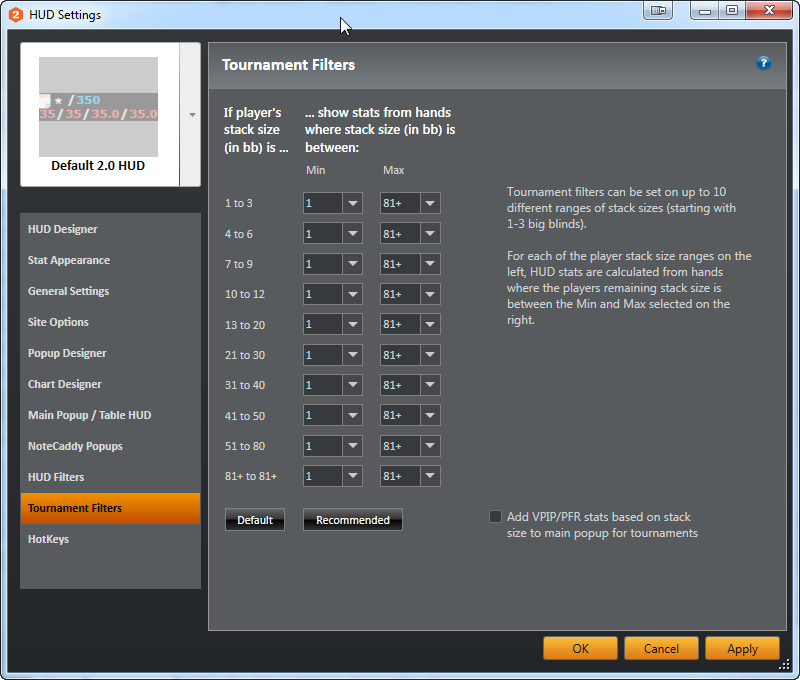
Clicking "Default" puts default values into the drop-down menus. Customize these depending on the game type and what information is desired to filter for.
How does it work though?
Yes, initial look at this screen might be intimidating. But, once it is understood, it is pretty simple.
For this example use the 10BB line since many people think of this as shove or fold time. To display the HUD stats for when the player has 10BB's in their stack, change the drop-down menus on the 10 line.
- Min is how many minimum BB's to use for the HUD stats
- Max is how many maximum BB's to use for the HUD stats
In the example above it is set to 1 and 81 respectively. To narrow this down change the min and max BB values. If this is too tight of a range set something up like below for 10BB stacks.
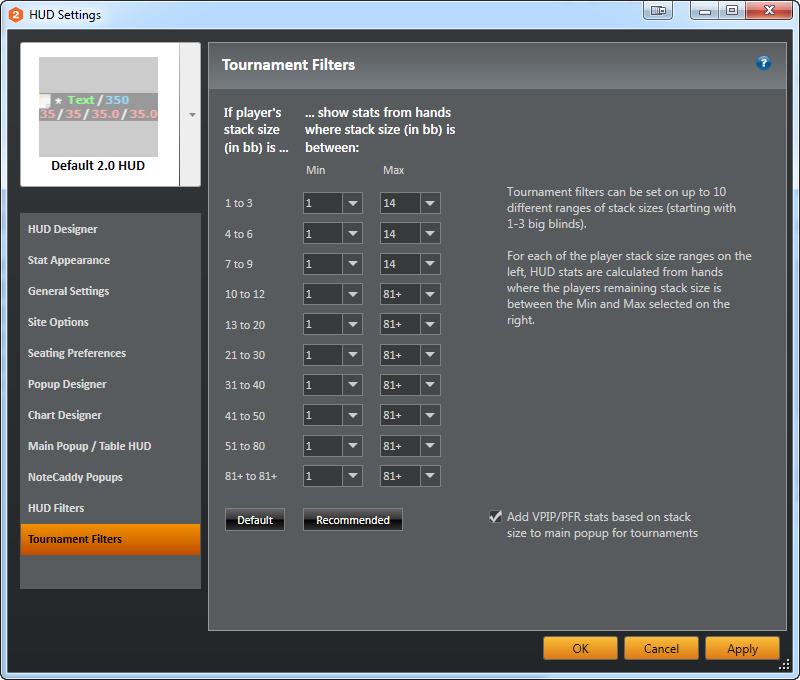
In the above example, all the 1-9 BB levels on the left have been changed to 1 min and 14 max. Now, anytime someone has 1-9 BB's in their stack, the HUD will only display stats when they have played hands with a starting stack of 1-14 BB's.
Warning: Hand History files only contain players' starting stacks. Because of this, if someone just lost a big pot, their HUD will not update to the shorter stack until the next hand is complete.
Note: If you set the Tournament Filters to show you stats from hands played with 4-6bb, it will include all hands between 3.50bb and 6.49bb
Note: This does not use effective stacks.
Include a BB VPIP/PFR grid in HUD Popup:
This HUD popup gives you an overview of the player's VPIP and PFR based on how many big blinds that player has. Enabling this feature will add a the BB VPIP/PFR grid to the Main Popup and can also be added to any stat via HUD Options > Stat Appearance > add the Trny Stack Size Popup to any stat.
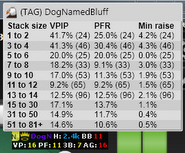
New Tourney Popup (1/22/2013)
The latest build of HM2 now has a more detailed tournament stack size popup. It even has the new popup formatting so it works nicely with the current HM2 popups. The new tourney stack size popup must be added to your Main popup and we will detail this below.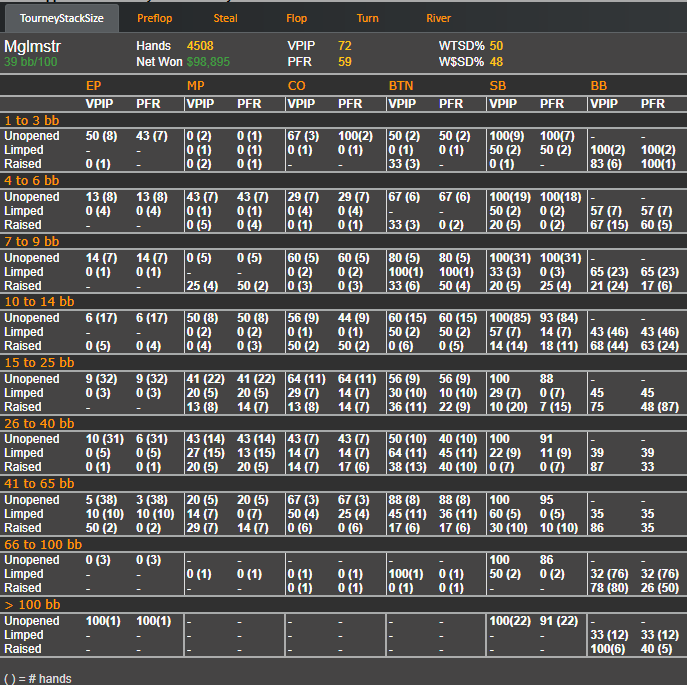
To start using the new detailed tournament stack size popup we need to add it to the main popup.
- Go to HUD Settings > Main Popup / Table HUD
- Add the TourneyStackSize popup to the main popup by highlighting this popup and pressing the orange arrow in the screen below. This will add the above popup to your Main Popup.
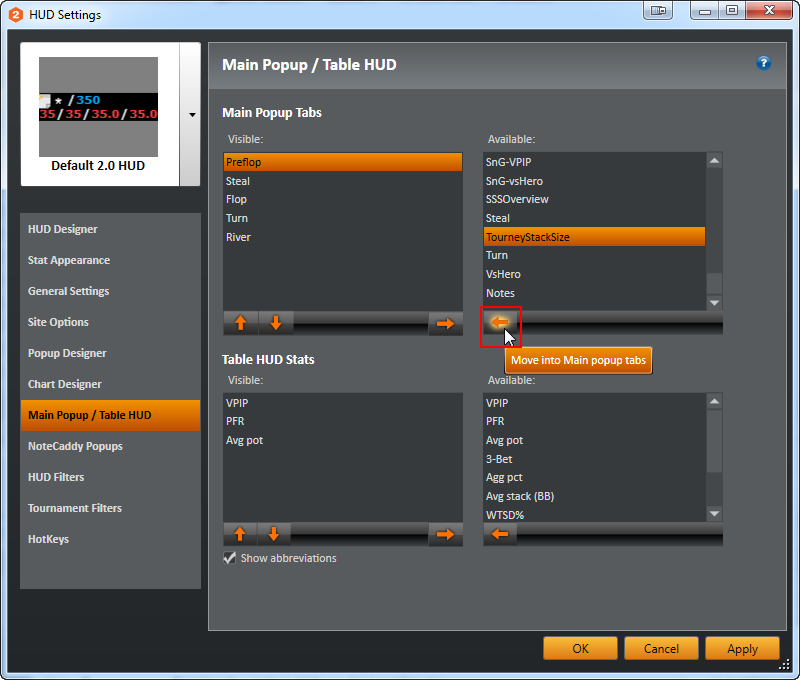
- Now that the TourneyStackSize popup is added to the Main Popup, when you click a players name in the HUD, the detailed TourneyStackSize popup will now display in your Main Popup.


