The article has been updated successfully.

Transitioning from HM1 to HM2
This FAQ is designed to give a quick overview of all the settings and options in Holdem Manager 2. When first making the move from Holdem Manager 1 to Holdem Manager 2, it often seems complicated. This is to be expected since everything is new. But, the new menu system in Holdem Manager 2 is a big improvement and much more user friendly.This is a visual FAQ for all those who do not like reading instructions and only want a quick overview of where the new settings can be found.
1. HUD Settings
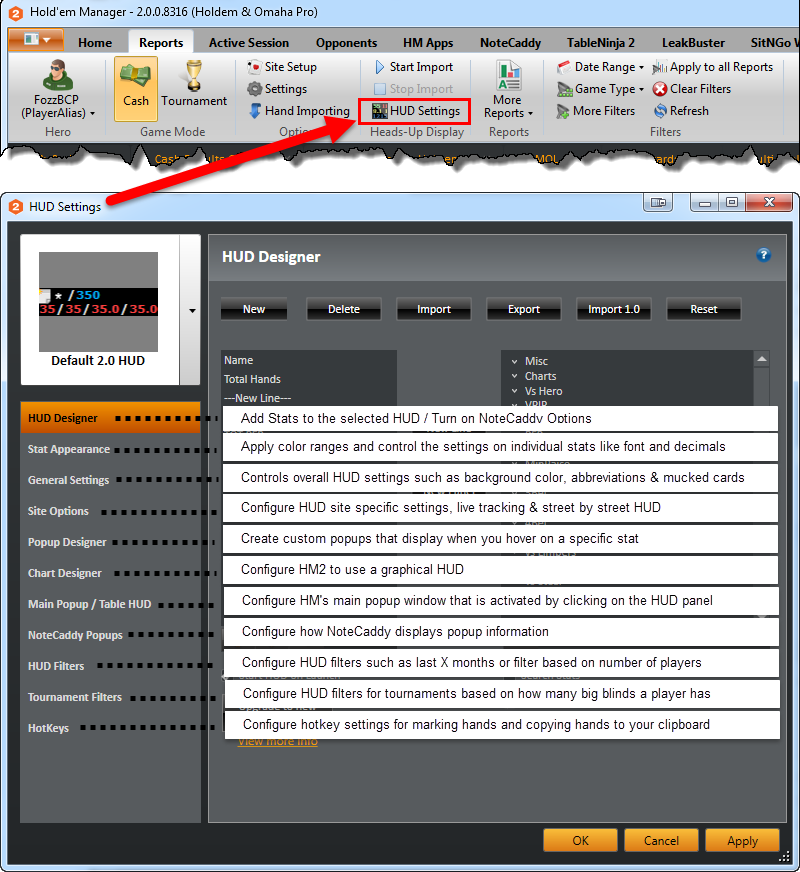
- HUD Designer
- Stat Appearance
- General Settings
- Site Options
- Popup Designer
- Chart Designer
- Main Popup
- NoteCaddy Popups
- HUD Filters
- Tournament Filters
- Hotkeys
2. Settings
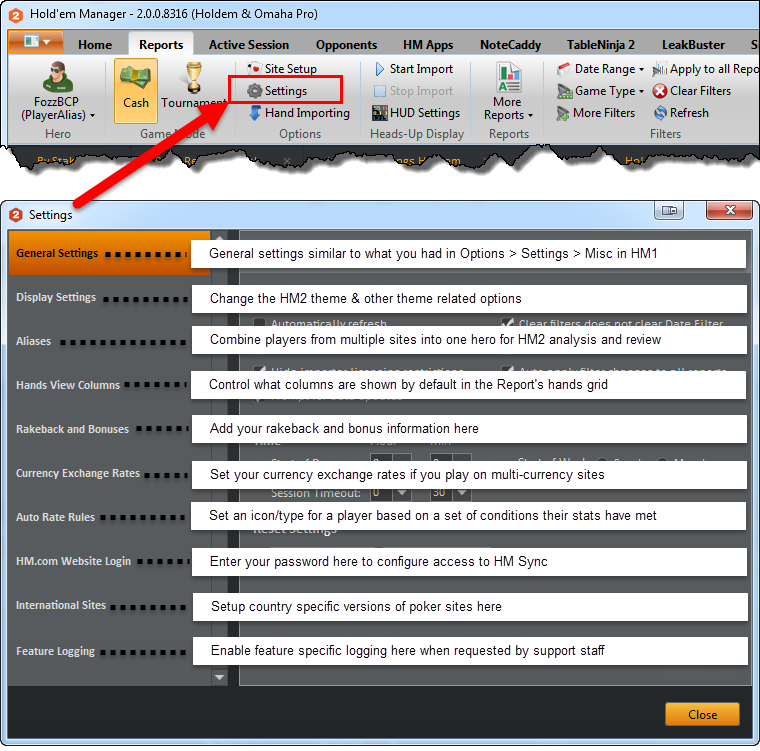
- General Settings
- Display Settings
- Aliases
- Hands View Columns
- Rakeback and Bonuses
- Tourney Defaults
- Currencies
- Auto Rate Rules
- HM.com Website Login
- International Sites
- Feature Logging
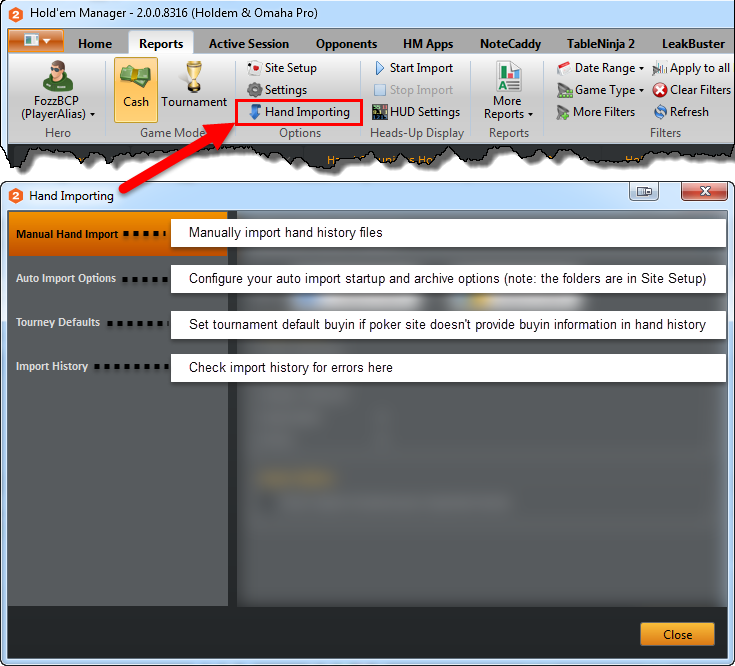
3. Hand Importing
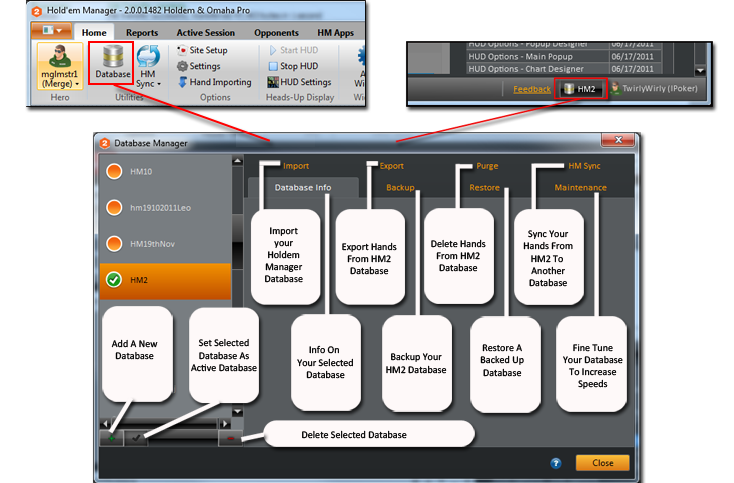
4. Database Manager